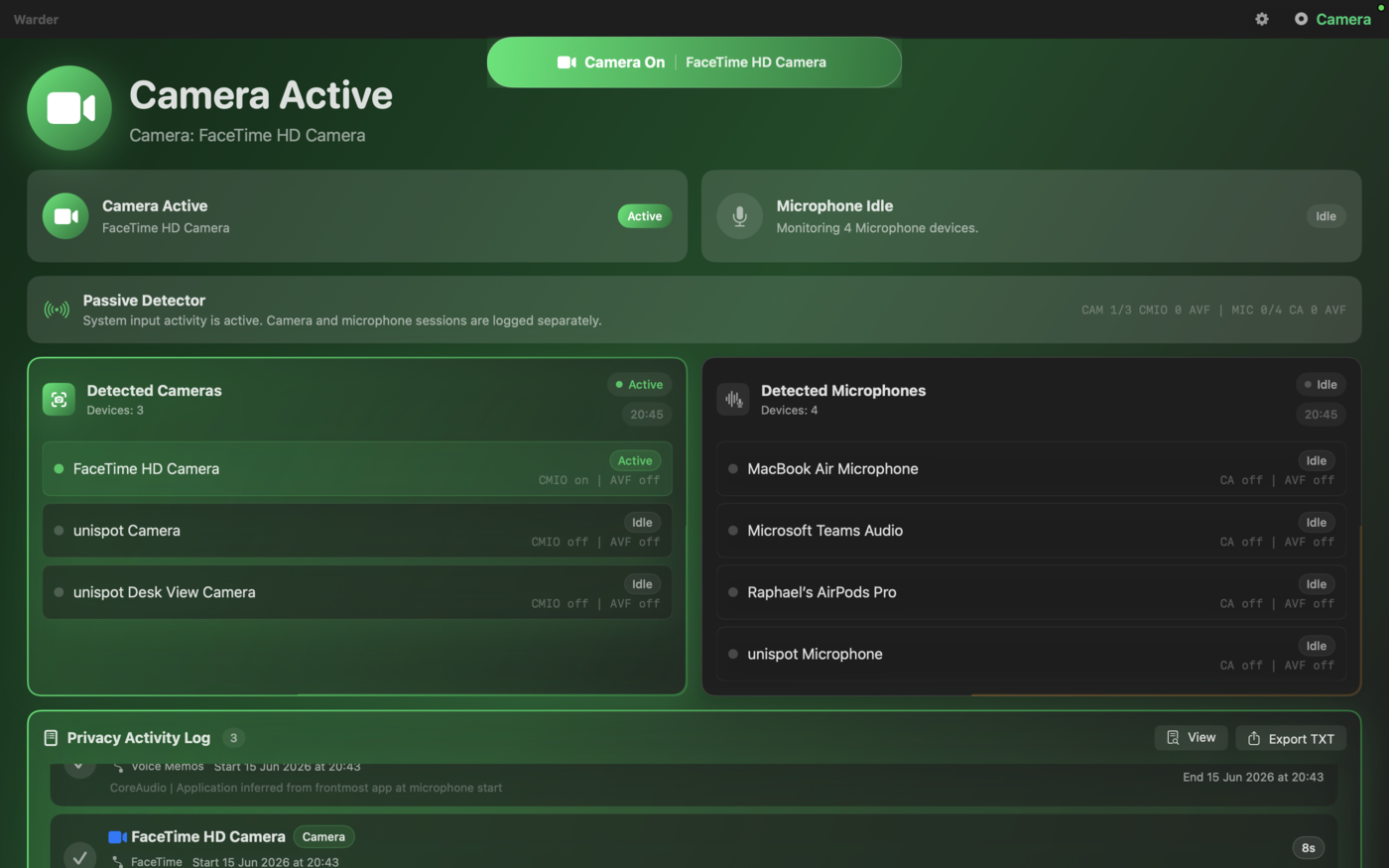
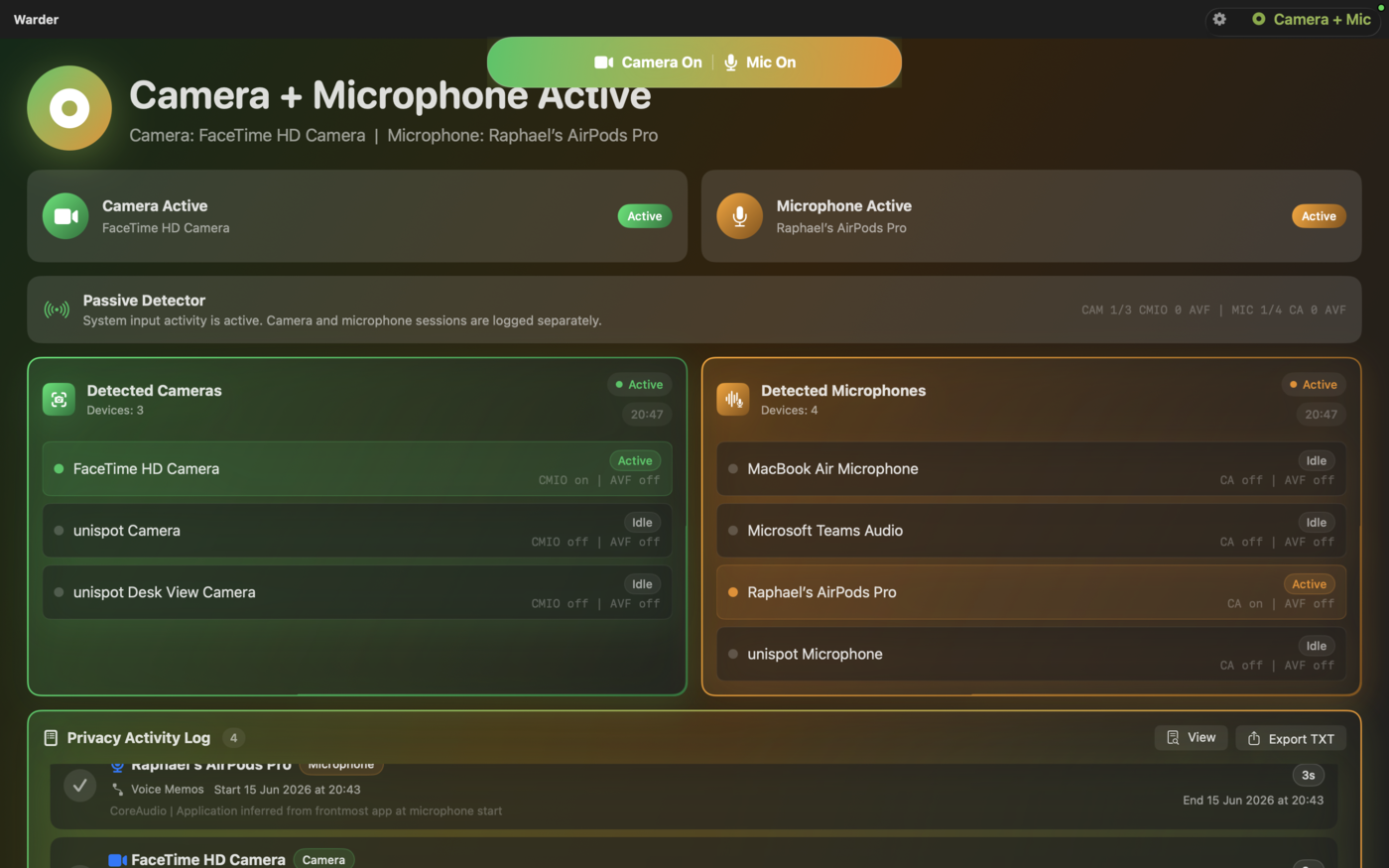
Warder lives in your menu bar and tells you the instant any app uses your camera or microphone — with live status, the devices in use, and a complete privacy log.
One window shows whether your camera is active or idle, exactly which device is in use, and every camera Warder has detected on your Mac — so there are no surprises.
A camera light is only half the story. Warder watches your microphones at the same time — AirPods, built-in mics, conferencing audio — so you know whenever something is listening, not just looking.
Warder stays out of your way. While you work, browse, or take a call, a clear indicator in the menu bar lights up the moment any app reaches for your camera — no digging through settings to find out who's watching.
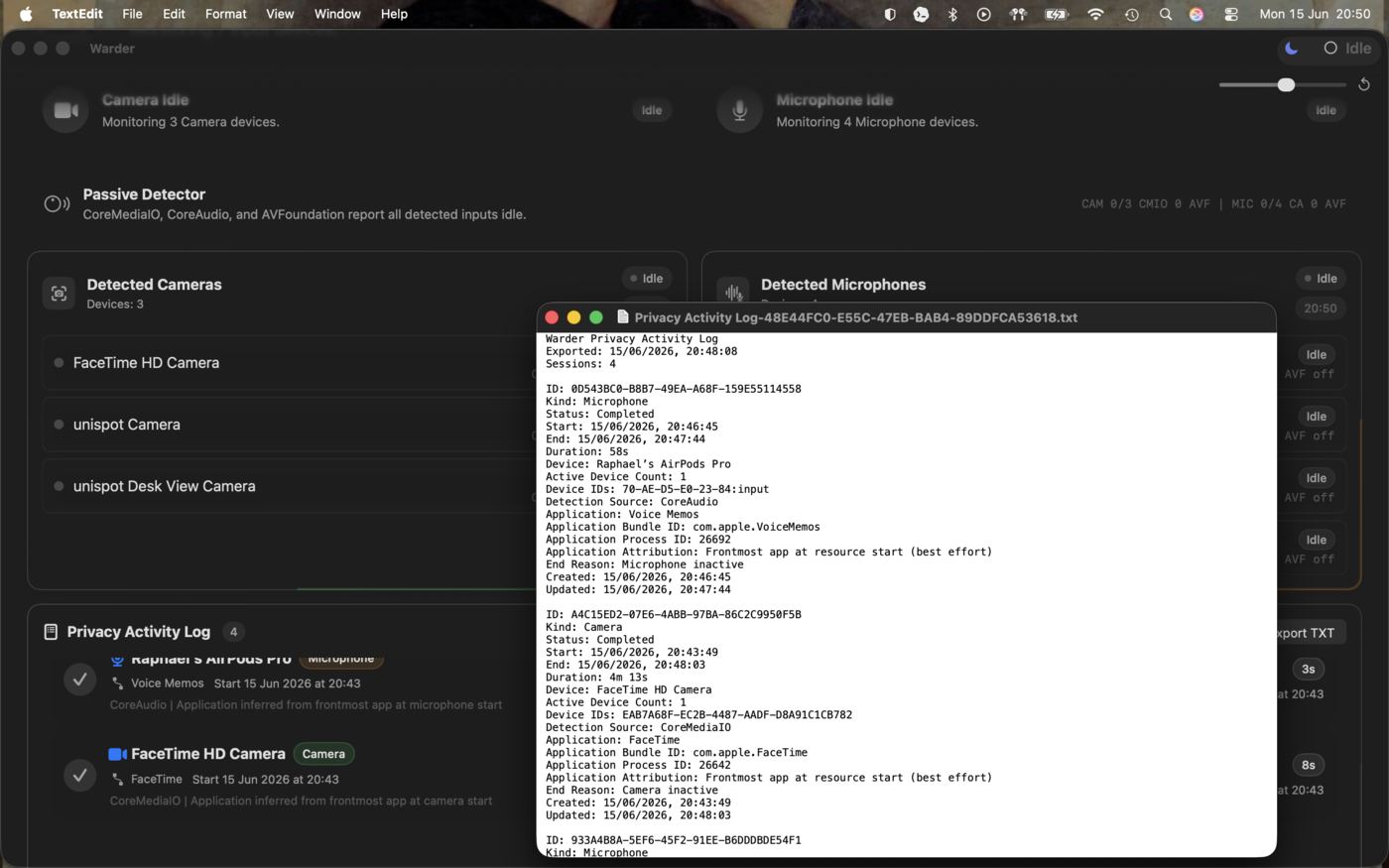
Every camera and microphone session is recorded with the app, device, and time. Review the full history whenever you like, and export it to a plain-text file to keep or share.
Install it once — it does the watching.
Download from the Mac App Store and launch it. Warder settles into your menu bar — no account, no setup wizard.
The passive detector tracks camera and microphone activity in real time and flags the instant any app starts using them.
Open the activity log to see exactly what accessed your devices and when — and export it to text anytime.
Take back control
Free to download. No account required.
Download on the Mac App Store